NFC Reader & Scanner for iPhone & Android
Scan NFC Tags, QR Codes, Barcodes, Documents, 3D Models and Rooms!


Everything you need to scan
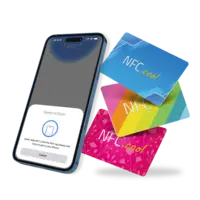
NFC Reader & Writer
iOSAndroidRead any NFC tag and write 25+ message types - weblinks, Wi-Fi, business cards, shortcuts, and more. Lock tags and encrypt secrets with NFC Safe.
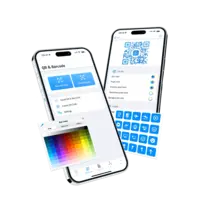
QR Code Scanner & Studio
iOSScan QR codes from the camera or pick them out of any photo - then design your own with icons and Genmoji in the built-in QR Code Studio.
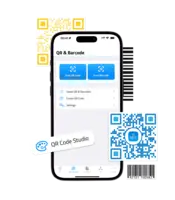
Barcode Scanner
iOSScan 13 barcode formats plus 6 two-dimensional codes - EAN, UPC, QR, PDF417, Data Matrix, and more. Batch mode keeps the camera open for inventory and check-ins.
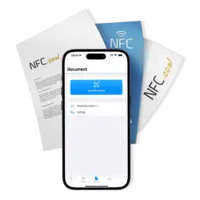
Document Scanner with OCR
iOSScan documents on iPhone or iPad with automatic edge detection and OCR - all on your device, nothing uploaded. Export searchable, multi-page PDFs.
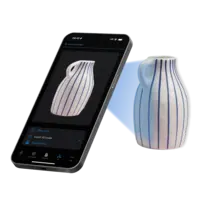
3D Object Scanner
iOSWalk around an object and Apple's Object Capture builds a textured 3D model. Export to USDZ for AR, STL for 3D printing, or OBJ for Blender. Requires an iPhone Pro or iPad Pro with LiDAR.

Room Scanner
iOSWalk through a room and RoomPlan builds a clean floor plan - walls, doors, windows, and furniture - complete with room measurements and area calculation.
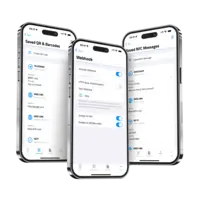
Webhooks & Automation
iOSAndroidFive hooks fire the moment you scan - POST to your server, run a Shortcut, open a URL, speak the result, or play a sound. NFC.cool scans; you own what happens next.
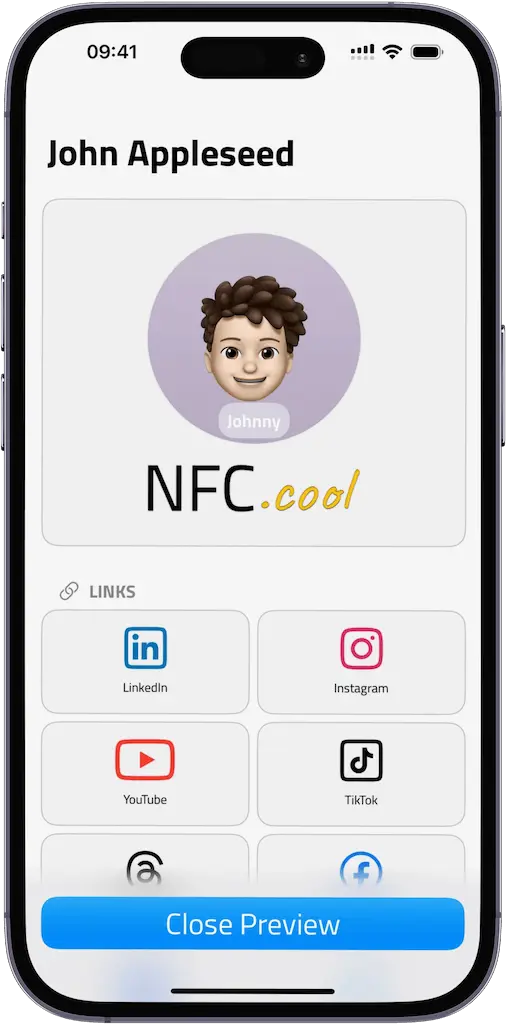
NFC.cool Business Card
A dedicated Digital Business Card app for iPhone - share via NFC tap, QR code, AppClip, or Apple Wallet. Track who saves your card, organize leads, and switch on Conference Mode for live events. On Android, the same features are bundled inside NFC.cool Tools.
What people are saying
Beautiful UX and nearly flawless execution unlike the other NFC apps.
The room mapper is pretty awesome. This app does so much more than write tags.
Beautifully written and packed with features. I had questions and the developer responded immediately. I'm still learning every one of them.
I sent in a gripe and got a personal email from the developer. Within a week the app was updated with my fix - shocking nowadays.
Five stars for the developer's commitment alone. Frequent updates, dedicated, patient with beginners.
I LOVE THIS APP. Awesome for people like me who know little to nothing about NFC tags!
Just downloaded it and it's definitely worth the time to explore and try out!
I'm loving my new way of promoting myself. Thanks to you guys.
Didn't realise at first how much this app can do - I thought it was a generic NFC reader. After a while: the automation and organisation are genius. The Safe alone…
I'm no fan of subscription apps - few are worth it. This one is. Years as my go-to NFC reader, now a true all-rounder.
If you like staying ahead of the time and minimalist lifestyle, I would recommend this app.
The continuous-read mode that keeps scanning every time a tag is detected is genuinely useful.
Frequently asked questions
Is NFC.cool free?
Yes - NFC.cool Tools and NFC.cool Business Card are free to download. Reading NFC tags, scanning QR codes and barcodes, document scanning with OCR, and 3D / room scanning are all free. An optional Platinum subscription unlocks NFC Safe (256-bit AES encrypted secrets); advanced NFC controls (format, password protect, lock, batch modes, CSV write, expert commands, tap counter); QR power features (no watermarks, batch read); document PDF export and auto-export to iCloud; 3D area calculation, model export and photo export; iOS Shortcuts, widgets and Control Center; webhooks; speech synthesizer; premium app icons and colors; and ad-free, priority support.
Which platforms are supported?
NFC.cool Tools runs on iPhone, iPad, and Android. NFC.cool Business Card is iPhone-only - its features are bundled into NFC.cool Tools on Android, so Android users get the same digital business card capabilities without installing a second app. On iPad, all camera-based features (QR, barcode, document, 3D, room scanning) work, but NFC reading and writing require an iPhone since iPads don't ship with NFC hardware.
How do I get started with NFC.cool?
Download NFC.cool Tools from the App Store or Google Play, then explore the tabs: NFC for tag reading and writing, QR for QR codes and barcodes, Document for paper-to-PDF scanning, 3D for object and room capture. No account is required - everything runs on-device.
How do I scan my first NFC tag?
Open NFC.cool Tools, tap "Read NFC" and hold your iPhone's top edge against an NFC tag - NFC.cool then opens with a parsed view of the tag's content. No setup beyond installing the app.
How do I write my first NFC tag?
Open NFC.cool Tools, switch to the NFC tab and choose "Write NFC", pick a message type (URL, Wi-Fi credential, contact card, iOS Shortcut, and more), enter the data, then tap your iPhone's top edge against a blank NTAG216 (or other NDEF-compliant tag). Now anyone tapping that tag triggers your chosen action. Buy NDEF tags from any of the retailers on the NFC Tags page.
Does NFC.cool work offline?
Yes. NFC tag reading and writing, QR code scanning, barcode scanning, document OCR, and 3D / room capture all run entirely on-device. Only optional cloud features (webhooks to your server, iCloud Sync) need the internet.
Which NFC tags work with NFC.cool?
Any NDEF-compliant NFC tag - NTAG213, NTAG215, NTAG216, MIFARE Ultralight, ICODE SLIX, and most others. NTAG216 is the recommended default for general use thanks to its 888-byte capacity and broad compatibility with iPhone and Android. See the NFC Tags page for tested retailers.
Can NFC.cool scan QR codes and barcodes?
Yes - 19 code formats are recognized from the iPhone camera or any photo in your library: 6 two-dimensional codes (QR Code, Micro QR, Aztec, Data Matrix, PDF417, Micro PDF417) and 13 linear barcodes (EAN-13, EAN-8, UPC-E, Code 39 incl. Mod 43, Code 93, Code 128, Codabar, Interleaved 2 of 5, ITF-14, plus the three GS1 DataBar variants). UPC-A is read as EAN-13 with a leading zero. Batch mode keeps the camera open for inventory counts and event check-ins.
Can I write NFC tags with my iPhone?
Yes - every iPhone from iPhone 7 onwards can both read and write NFC tags using NFC.cool Tools. Choose from 25+ message types: URLs, Wi-Fi credentials, contact cards (vCard), iOS Shortcuts, payments, social profiles, and more. Encrypt secrets first with NFC Safe (256-bit AES) for tap-to-unlock workflows.
Does NFC.cool support iOS Shortcuts and the Action Button?
Yes, on the Platinum tier. NFC.cool Tools ships App Intents, native iOS Shortcuts actions, lock-screen and home-screen widgets, Action Button hooks, and Control Center quick-launch - chain scans into your own automations or trigger them with one button. The free tier covers the basic scan-and-share flow; the Shortcuts / widgets / Action Button surface lives behind the optional Platinum subscription.
How does NFC.cool Business Card share my card without an app?
Through Apple AppClip (instant share with no download, recipients see your card in a system popover), QR code, Apple Wallet pass, or a public web profile URL. Recipients save your contact to their phone in one tap - they don't need to install NFC.cool or create an account.
How is NFC.cool different from other NFC apps?
Most NFC apps focus on either reading or writing - NFC.cool Tools does both, plus QR codes, barcodes, document OCR, 3D capture, and room scanning in a single app. Three other differentiators: privacy (scan data stays on-device, never sent to NFC.cool servers); deep iOS integration (App Intents, Shortcuts, lock-screen widgets, Action Button, webhooks) so scans trigger your own automations rather than being trapped inside the app; and active solo-developer support - the developer reads every email personally and ships fixes within days.
Ready to scan?