I build the Business Card app at NFC.cool, and over the last two years I’ve read a lot of emails from the people using it. They almost always open the same way: with their job. “I’m a realtor and…” “I’m a cardiologist and…” “I’m a freelance designer and…” Each person assumes their situation is unusual.
It mostly isn’t. But the reason a paper business card lets them down genuinely is different from one profession to the next. A real estate agent and a hospital physician both outgrow paper - for completely different reasons.
So instead of writing one more “paper cards are dead” article, I organized this the way people actually think about the problem: by profession. There are three sections - real estate, healthcare, and independent consulting - followed by the parts that apply to everyone, including an honest look at where my own app fits and where it doesn’t.
Why Paper Still Fails, Whatever You Do
Three things hold true before we get specific.
The first is waste. Adobe’s research - the most-cited number in this whole industry - found that roughly 88% of paper business cards are thrown out within a week. You pay to print them, you spend a moment of someone’s attention handing one over, and nine times in ten it produces nothing.
The second is staleness. A paper card is frozen the moment it leaves the printer. New title, new number, new address - the card in someone’s drawer still shows the old one.
The third is friction on the receiving end. A paper card has to be typed in to be useful, and most people never get around to it.
A digital business card fixes all three. It updates after you’ve handed it out. The person receiving it saves your details with one tap, no typing. And because it costs nothing per card, you stop rationing them.
That’s the shared story. Now the part that is actually different for you.
For Real Estate Agents
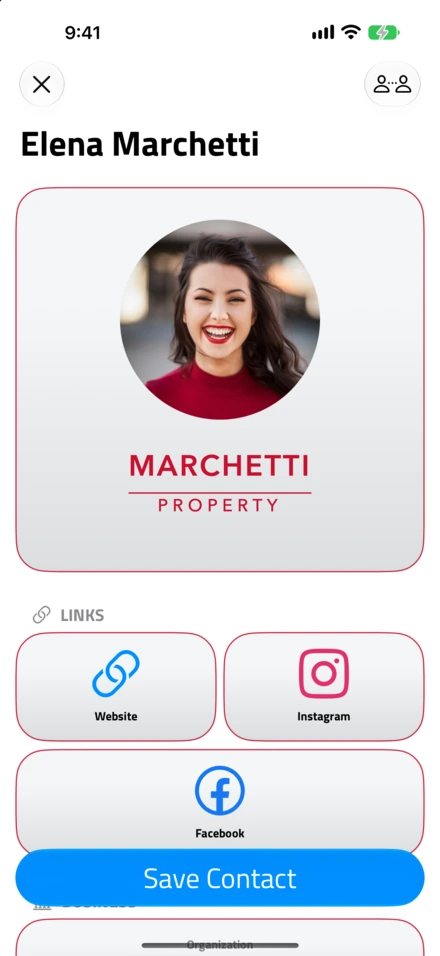
- What your client sees. Your card opens on their iPhone with no app to install, and one tap saves you.
Real estate runs on staying reachable. Every open house, every broker’s open, every chance encounter at the coffee shop is a lead - and whether it becomes a client often comes down to one thing: did they keep your card? With paper, the honest answer is usually no.
The Open House Sign-In Sheet Is Broken
We’ve all seen the clipboard at the door. Visitors scribble half-legible names and emails, some skip it entirely, and on Monday you’re squinting at “jsmith@gmai…” trying to reconstruct a lead. A QR code on the property flyer replaces the clipboard: visitors scan it, get your full card, and you get a clean contact in return. Put an NFC tag on a small stand at the entry table for the same effect with a tap.
You Change Brokerages, Numbers, and Teams
Switched brokerages? New number? Added a team member? Every change means another print run - and weeks of handing out cards you know are already wrong. A digital card updates once, and everyone who saved it sees the new information immediately.
International Buyers Can’t Read an English-Only Card
Miami, Vancouver, London, Dubai - major markets attract international buyers, and an English-only card is useless to a Mandarin-speaking buyer or a Portuguese-speaking investor. A digital card in an app that supports multiple languages makes your information accessible regardless of what language your client reads.
The Follow-Up Window Closes Fast
A paper card creates exactly one touchpoint: the moment you hand it over. Miss the next few days and the lead is gone, because the card is buried or already in the trash. A digital card sits in the prospect’s phone, searchable, and some apps even show you when it was viewed - a natural prompt to reach out.
One note on credibility: the National Association of Realtors’ 2025 Technology Survey found 47% of buyers consider an agent’s technology skills “very important” when choosing who to work with. A card that opens cleanly on a phone, with your listings and virtual tours one tap away, is a small but real signal at a listing presentation. A practical habit: build a dedicated “open house” card with the property address and tour link, then switch back to your general card afterward.
For Healthcare Professionals
A cardiologist at a university hospital once told me she carries three business cards. Not by choice - one has her direct line, one has the cath lab’s scheduling number, one has the department fax for referral letters. She keeps them in separate coat pockets, because handing a patient the wrong one means a missed referral.
She is not unusual. Ask any physician in a hospital or multi-specialty practice: the contact information they need to share is rarely just their own.
You Need More Than One Number
A surgeon doesn’t just share a mobile number. They share the surgical scheduling desk, the ward clerk, the pathology lab, the referral fax. A paper card can’t hold that much information legibly, and when any one number changes, every printed card becomes garbage. A digital card holds all of it and updates in a single edit.
Hygiene Is Not Theoretical
Paper business cards are handled objects - passed hand to hand in waiting rooms, at conference booths, between doctors on rounds. A 2021 study at Hannover Medical School tested how long bacteria survive on hospital surfaces. S. aureus lasted at least seven days; A. baumannii and E. faecium, both on the WHO’s antibiotic-resistance priority lists, persisted for over four weeks. (Katzenberger et al., BMC Research Notes, 2021, DOI: 10.1186/s13104-021-05492-0.) Laminated cardstock is exactly that kind of surface. A tap-to-share card removes the handoff entirely.
Patients Expect Digital, and Expect It Current
A 2021 Redpoint Global survey of more than 1,000 U.S. consumers found that 80% prefer digital communication with healthcare providers, and 66% would choose a provider based on timely, consistent communication alone. (Redpoint Global / Dynata, December 2021, businesswire.com.) Their number-one frustration was outdated information - which a paper card guarantees the moment a practice moves or adds a telehealth line.
Referrals
This is the use case that surprises most doctors. When a GP refers a patient to a specialist, they need to pass on the specific scheduling line, the prep instructions, and the preferred contact method - not just a name. A referral-specific digital card carries all of that, and stays correct forever after a single share.
A word on privacy, because it matters more here: a business card is not a medical record. Put your name, credentials, specialty, department, phone numbers, practice address, and booking link on it. Never patient information, diagnosis codes, or insurance details. A good app lets you choose exactly which fields each card shows.
For Consultants and Freelancers
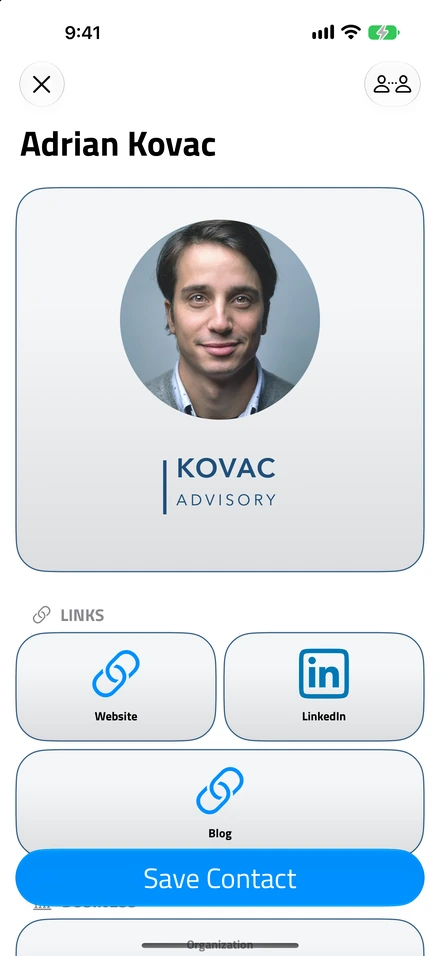
- A card that looks like you. Your logo, your colours, and the links that matter for this role.
When you go independent, nobody orders your business cards for you. There’s no marketing department, no receptionist reprinting them when your title changes. You are the brand - and the card budget is your budget.
You Wear More Than One Hat
This is the one corporate employees never deal with. You might be a UX designer who also does brand photography, or a management consultant who also coaches executives. Paper forces one identity per card, or three stacks you fumble through at an event. A platform that supports multiple cards lets you keep one per role and share whichever fits the conversation.
Every Subscription Comes Out of Your Revenue
When a corporate employee gets business cards, the company pays. When you get them, you pay - and that changes the math. A platform charging $8-15/month for enterprise features you’ll never touch is money better spent on your actual business. Premium individual plans should be cheap, or there should be a real free tier.
Conferences and Coworking Run on Bad WiFi
You’ve had a great conversation, you want to swap details, and the conference WiFi is crawling. An NFC tap is near-instant - the tag carries a link, and a lightweight card profile loads quickly even on a spotty connection. In a coworking space, where a paper handoff feels heavy, a QR code on your laptop sticker is casual and non-intrusive.
The Follow-Up Is Where the Money Is
You met someone three weeks ago; they’re finally ready to talk. With paper, they’d have to find your card. With digital, they search your job title in their contacts and your website, portfolio, and booking link are right there. Less friction means more follow-ups, and more follow-ups means more clients.
One more thing, specific to independents: your card is brand collateral. Use your own colors and logo, write a benefit-oriented tagline instead of a bare title (“I help SaaS startups find product-market fit” beats “Strategy Consultant”), and give people a next step - a booking link, a portfolio, a lead magnet.
What to Look For in a Digital Business Card App
The professions differ; the checklist mostly doesn’t. Whatever you do, a digital business card app earns its place only if it gets these right:
No app required for the recipient. This is the one that matters most. If the person you just met has to install something to see your details, you’ve added friction to the exact moment that should be frictionless.
NFC and QR, both. NFC is faster and more impressive in person; QR is universal and works on a printed sign, a flyer, a slide. You want both, not one as a paid add-on.
Multiple cards. Different roles, different events, different audiences. Non-negotiable if you wear more than one hat.
Multiple languages, if you work across borders - the card content, not just the app’s interface.
Privacy you can explain. Some platforms email the people who view your card, or record conversations. If your card provider spams your contacts, that reflects on you. Read the privacy policy before you commit.
No hardware lock-in. Plenty of companies sell proprietary $30-$60 NFC cards. A $2 NFC sticker you program yourself does the same job.
Honest pricing. Enterprise SSO and team dashboards are irrelevant when it’s just you. Look for a genuine free tier or an affordable individual plan.
How NFC.cool Business Card Fits
Full disclosure: this is my app, so read the next few paragraphs knowing that. I’ll try to be straight about where it’s strong and where it isn’t.
NFC.cool Business Card is a standalone app on iPhone and Android. Here’s what it does well for the professions above:
35 languages in the app interface and the App Clip - more than any other digital business card I’m aware of. Your card displays in your client’s language on iOS. (The Android sharing website is English-only for now.)
No app for the person receiving your card. On iPhone they get a native App Clip; on Android, a page on the nfc.cool domain. Both have a “Save Contact” button.
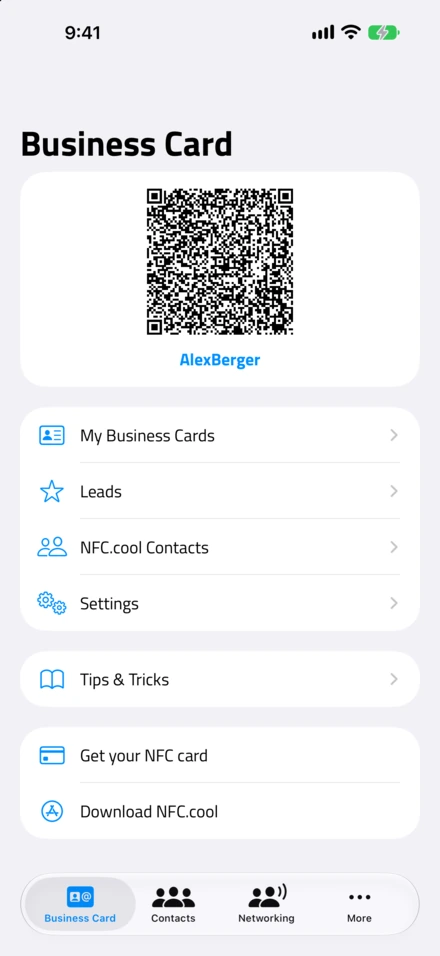
NFC tap and QR code, plus a plain shareable link for chats and email signatures.
Conference Mode - pins your card’s QR code on your lock screen for a full event day, on iPhone (as a Live Activity) and Android alike. You raise your phone, they scan, done. No unlocking, no hunting through Apple Wallet. Wallet integration is there too, as an alternative.
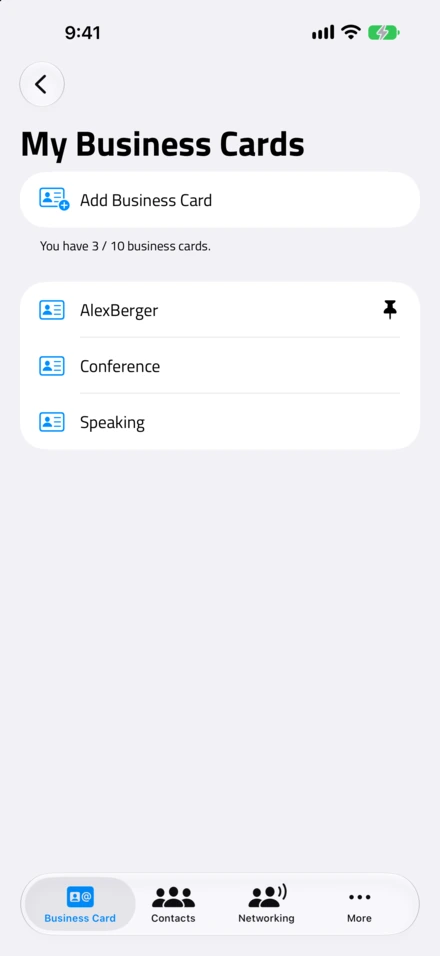
Up to 100 cards, so the “one card per role” advice above is actually practical.
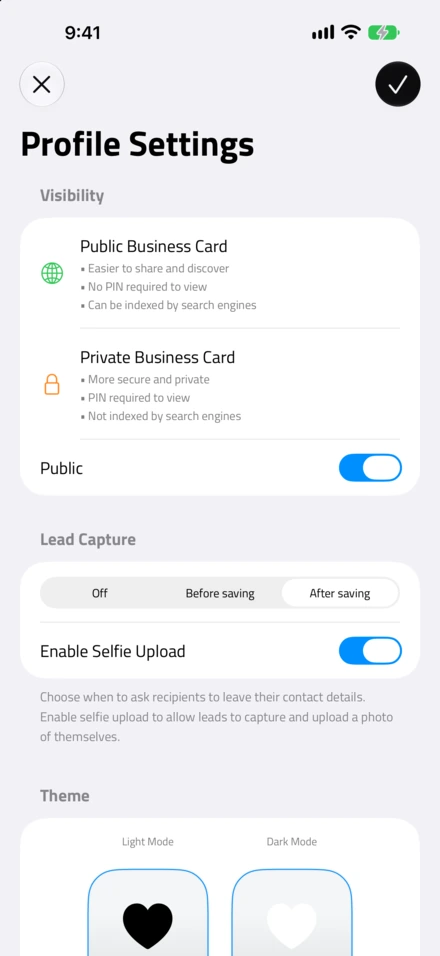
PIN-protected cards for anything sensitive.
Privacy-first: no data monetization or advertising, no recipient solicitation, no conversation recording, GDPR-compliant data export.
Any NFC tag works. I don’t sell hardware - write your card to a sticker you already own.
Pricing: a free tier, then Personal at €20/year (1 card), Small Business at €50/year (10 cards), and Business at €100/year (100 cards).
Where competitors are genuinely ahead:
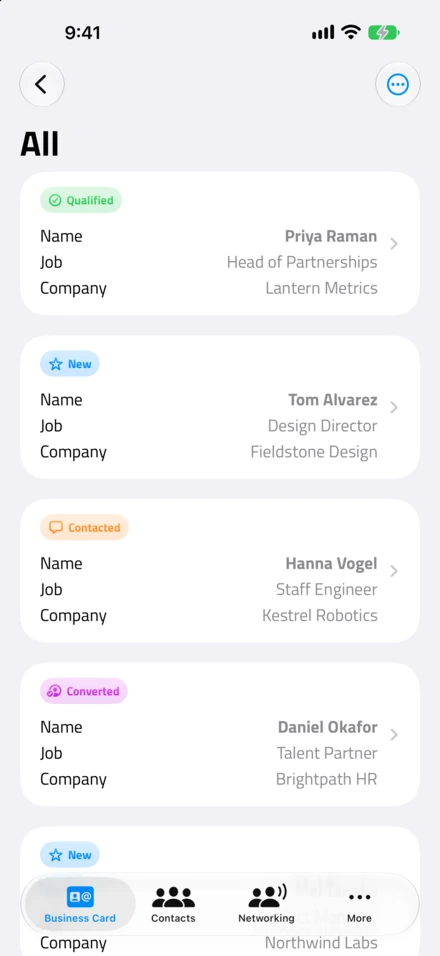
CRM integrations. If your day runs on HubSpot or Salesforce, apps like Wave Connect or Blinq sync contacts natively. NFC.cool gives you a full data export instead - no webhooks yet.
Enterprise team management. If you’re a 50-person firm that needs an admin dashboard and directory sync, that isn’t what NFC.cool is built for.
The honest version: for an agent, a physician, or a soloist, what matters day to day is that sharing is fast, the card looks like you, and nothing embarrasses you later. That’s what I built it for. If you need a sales CRM welded to your business card, buy the tool that does that.
You can get NFC.cool Business Card on the App Store or on Google Play.
Frequently Asked Questions
Does the person receiving my card need to install an app?
No. On iPhone they see a native App Clip; on Android, a web page on the nfc.cool domain. Both let them save your contact straight to their phone. This is true of most modern platforms - if one makes recipients download an app, skip it.
Which is better, NFC or QR?
Both, for different moments. NFC is a one-second tap and looks impressive face to face. QR works on any camera phone and on printed things - signs, flyers, slides, a sticker on your laptop. A good app gives you both.
Can I have different cards for different roles?
Yes, and you should. An open-house card with a property address, a referral card with a scheduling desk, a conference card with your talk details - all from one account, each updatable on its own.
Will it work with international clients?
NFC and QR work on phones worldwide. Whether the card itself adapts to another language depends on the app. NFC.cool Business Card supports 35 languages in the app and App Clip on iOS.
Can I see who viewed my card, and is that data safe?
Some apps show you views; some go further and market to the people who saw your card. That second behavior is a problem - your prospects should hear from you, not from your card vendor. NFC.cool offers analytics on iPhone and Android alike and never solicits recipients.
What does it actually cost?
A digital card is free or nearly free on most platforms. A physical NFC sticker is a $2-$30 one-time purchase and is reprogrammable. Compare that to $50-$150 per print run of paper cards that are outdated within months.
The Bottom Line
Paper business cards didn’t fail because they were paper. They failed because they freeze your information in a job that never holds still - and every profession’s information moves in its own way. An agent’s brokerage changes. A physician’s department numbers multiply. A consultant’s title shifts with every contract.
A digital card keeps up. Pick one that needs no app on the other end, supports NFC and QR, and treats your contacts’ data with respect - then stop thinking about business cards entirely. That’s the real win.
If you want to try mine, NFC.cool Business Card is free to start on iPhone and on Android.