Scan anything
From trinkets on your desk to entire spaces - the LiDAR sensor captures real geometry, and you see the model build up live.

Capture everything in 3D, right from your iPhone. Digitize your living room, model your favorite mug, or bring real-world objects into a game level - as straightforward as snapping a photo.

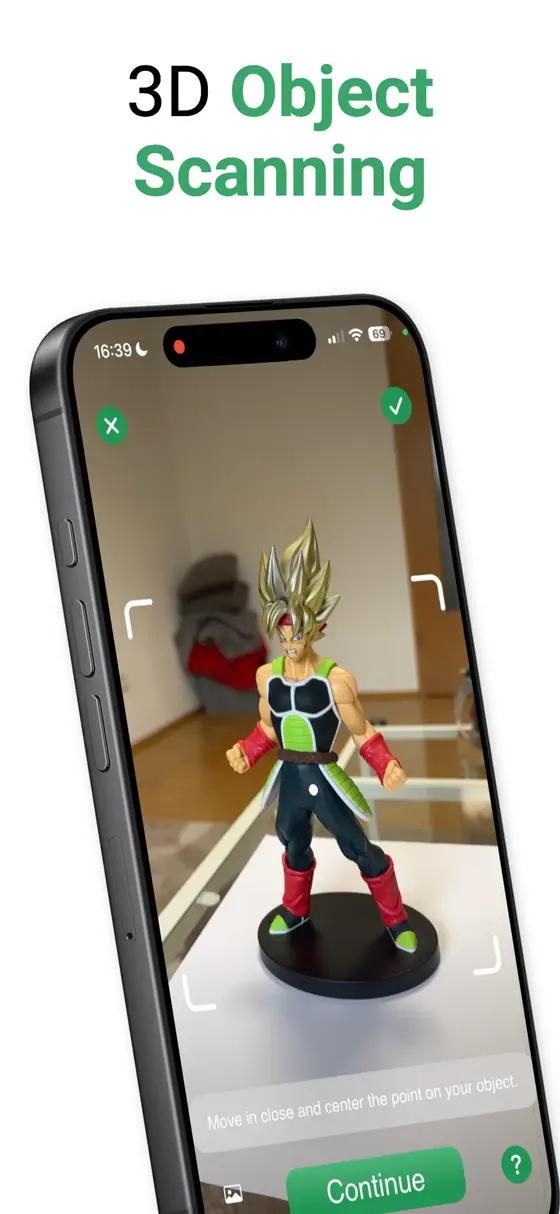
From trinkets on your desk to entire spaces - the LiDAR sensor captures real geometry, and you see the model build up live.
Place your scans back into the room with AR to get a real feel for how they stand in space before you export anything.
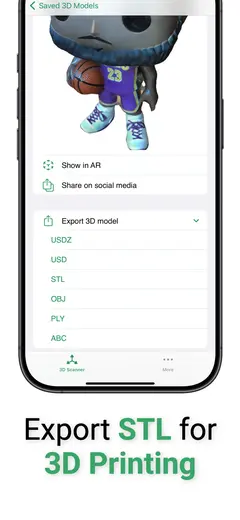
USDZ, STL, PLY, ABC, or OBJ - ready for 3D printing, game engines, and design tools. Exporting is part of the subscription.
Grab a video of your 3D model for social media, and keep every scan in sync across your devices with iCloud.
Requires a Pro iPhone or iPad with a LiDAR sensor, such as iPhone 12 Pro or later Pro models.
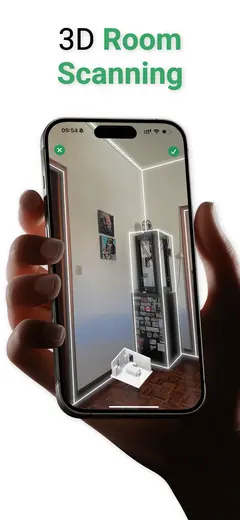
3D and room scanning started as features inside NFC.cool Tools, and they turned out to be some of the most fun tech I have ever shipped. This standalone app is where that work lives on its own: one app, one job, everything tuned for capturing the world around you.
Hobbyists use it for 3D printing, designers use it to capture real-world references, and plenty of people just enjoy walking around their home turning things into models. If you want scanning as part of the bigger toolkit, the 3D Object Scanner and Room Scanner features in NFC.cool Tools do that too. Browse the rest of the lineup on the apps page.
It needs a LiDAR sensor, which Apple ships in the Pro devices: iPhone 12 Pro and later Pro models, and LiDAR-equipped iPad Pro models.
USDZ, STL, PLY, ABC, and OBJ. STL goes straight into most 3D-printing slicers; OBJ and USDZ cover game engines and design tools. Exporting is available with the subscription.
Yes. Scan an object, export it as STL, and load it into your slicer. Many people in the community use exactly this workflow for replacement parts and figurines.
Yes, iCloud Sync keeps your 3D models in sync across your iPhone and iPad.