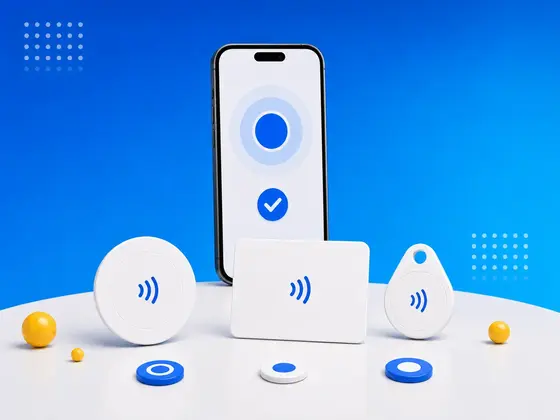
You’ve probably tapped your phone to pay for a coffee, scanned a transit card, or unlocked a hotel room door with it. Every one of those is NFC at work.
I’ve spent years building NFC.cool, an app for reading and writing NFC tags, and the one thing I wish more people knew is this: NFC isn’t only for payments and keycards. A tiny NFC tag - a chip that costs a few cents and never needs a battery - can automate your home, hand over your contact details in a single tap, and wire the physical world to digital actions.
This is the guide I’d give anyone starting out. I’ll walk through what NFC tags are, how they actually work, which ones I’d buy, and the uses I’ve genuinely seen pay off.
What Is NFC?
NFC stands for Near Field Communication. It’s a short-range wireless technology that lets two devices swap data when they’re held within a few centimeters of each other.
It runs at 13.56 MHz and works up to about 4 cm (roughly 1.5 inches). That tiny range trips people up at first, but it’s deliberate - it’s a security feature. Unlike Bluetooth or Wi-Fi, you can’t accidentally connect to something across the room.
Every modern smartphone has an NFC chip inside. iPhones have read NFC since the iPhone 7 in 2016, and Android phones longer than that. Hold your phone near a tag and the phone powers the tag and reads it - the whole exchange happens in a fraction of a second.
What Is an NFC Tag?
An NFC tag is a small, passive chip built into a sticker, card, keychain, or just about any form factor. “Passive” is the word that matters: an NFC tag has no battery. It’s powered entirely by the field of whatever device reads it.
That’s what makes them so easy to live with:
Practically indestructible - no battery to die, nothing to wear out
Cheap - a few cents each in bulk
Tiny - smaller than a coin, thinner than a credit card
Long-lived - a decent tag lasts 10+ years
Each tag holds a small amount of memory. You can store a URL, contact details, Wi-Fi credentials, plain text, or instructions that tell the reading phone what to do.
How Is NFC Different from RFID?
NFC is actually a subset of RFID (Radio-Frequency Identification). Here’s how I explain the difference:
| NFC | RFID | |
|---|---|---|
| Frequency | 13.56 MHz only | 125 KHz - 960 MHz |
| Range | Up to ~4 cm | Up to several meters |
| Communication | Two-way | Usually one-way |
| Standardized | ISO 14443 / ISO 18092 | Multiple standards |
| Consumer use | High (phones, payments) | Mostly industrial |
All NFC is RFID, but not all RFID is NFC. The badge you swipe to get into an office often runs at 125 KHz, and your phone simply can’t read that. NFC tags use the 13.56 MHz frequency phones do support. “Why won’t my phone read my work badge?” is one of the questions I get asked most, and this is almost always the answer. (If that’s the rabbit hole you’re in, I wrote a whole post on why your iPhone can’t open an RFID door.)
NFC Tag Types: Which One Should You Buy?
NFC tags come in types defined by the NFC Forum, the industry standards body. The ones you’ll actually run into are built on chips from NXP Semiconductors - the NTAG series.
The NTAG Family
These are by far the most common consumer NFC tags:
NTAG213
Memory: 144 bytes (about 132 usable)
Best for: URLs, contact cards, simple automations
Price: Cheapest option (~$0.15-$0.30 per tag)
URL capacity: ~130 characters
The workhorse. For a single URL or a short piece of text, NTAG213 is all you need - it’s what most NFC business cards and marketing tags use.
NTAG215
Memory: 504 bytes (about 488 usable)
Best for: Longer URLs, vCards with multiple fields, Wi-Fi credentials
Price: ~$0.20-$0.40 per tag
URL capacity: ~480 characters
A solid middle option - enough headroom for longer URLs and multi-field vCards, cheap enough to buy in bulk. It’s also the chip inside Nintendo Amiibo figures, which is why writable NTAG215s are so easy to find.
NTAG216
Memory: 888 bytes (about 868 usable)
Best for: Full vCards, multiple records, longer text content
Price: ~$0.30-$0.60 per tag
URL capacity: ~850 characters
The most memory in the consumer NTAG line, and the tag I’d pick if you only buy one. The extra headroom means you won’t hit a wall - full vCards, multiple records, longer text, room for future edits - and it’s the standard NFC.cool tests against.
Other Tag Types You Might See
NTAG424 DNA - An advanced chip with cryptographic authentication. It shows up in anti-counterfeiting, luxury-goods verification, and the new EU Digital Product Passport rules. Overkill for personal use, genuinely important for commercial work.
MIFARE Classic - An older NXP chip used in access cards and transit systems. It isn’t a standard NFC Forum tag, so phone compatibility is a coin toss. I’d skip it for personal projects.
ST25T - STMicroelectronics’ NFC tag line. Similar to NTAG in function, less common in consumer products.
ICODE - Built for library and logistics tracking. You probably won’t touch these.
Quick Buying Guide
| Use Case | Recommended Tag | Why |
|---|---|---|
| Website URL | NTAG213 | Minimal data, cheapest |
| Digital business card | NTAG213 or NTAG215 | URL link needs ~100 chars |
| Wi-Fi sharing | NTAG215 | Credentials can get long |
| Full vCard stored on tag | NTAG216 | Needs more memory |
| Smart home trigger | NTAG213 | Just needs a unique ID |
| Anti-counterfeiting | NTAG424 DNA | Cryptographic verification |
Where to buy: My recommended NFC tags page lists the NTAG216 stickers I use and test against. Sticker-format tags are the most versatile - they stick to almost anything.
My honest advice: buy a pack of NTAG216 stickers and stop overthinking it. I’ve watched people agonize over chip types for a project that a 20-cent tag handles fine. If you ever want the deeper breakdown, I went chip-by-chip in NFC tag types for iPhone.
How NFC Tags Work (The Simple Version)
People expect this to be complicated. It isn’t. Here’s the whole thing, start to finish:
Power transfer - Your phone’s NFC antenna generates an electromagnetic field. When a tag enters that field (~4 cm), the field induces a tiny current in the tag’s antenna coil, and that current powers the chip.
Data exchange - The powered chip sends its stored data back to your phone as modulated radio waves at 13.56 MHz. The exchange takes about 100 milliseconds.
Action - Your phone reads the data and decides what to do. A URL opens in the browser. A phone number offers to call. A Wi-Fi record offers to connect. An app-specific record opens the matching app.
No pairing. No PIN. No app required for basic reading. Tap and go.
NDEF: The Language Tags Speak
The data on an NFC tag is structured using NDEF (NFC Data Exchange Format). I think of NDEF as the common language that lets any NFC phone understand any NFC tag.
Common NDEF record types:
URI - A web link (http, https, tel:, mailto:)
Text - Plain text in any language
Smart Poster - URL + title + icon combined
Wi-Fi - Network name, password, and security type
vCard - Contact information
MIME - Any custom data type, used by apps for custom actions
When you write a tag in an app like NFC.cool Tools, you’re creating NDEF records. When a phone reads the tag, it parses those records and acts on them. That’s the whole model - once it clicked for me, everything else about NFC made sense.
Reading NFC Tags
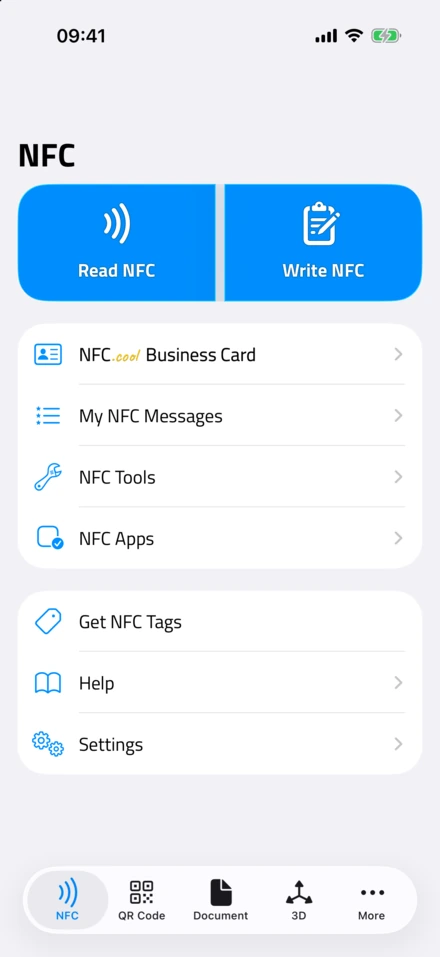
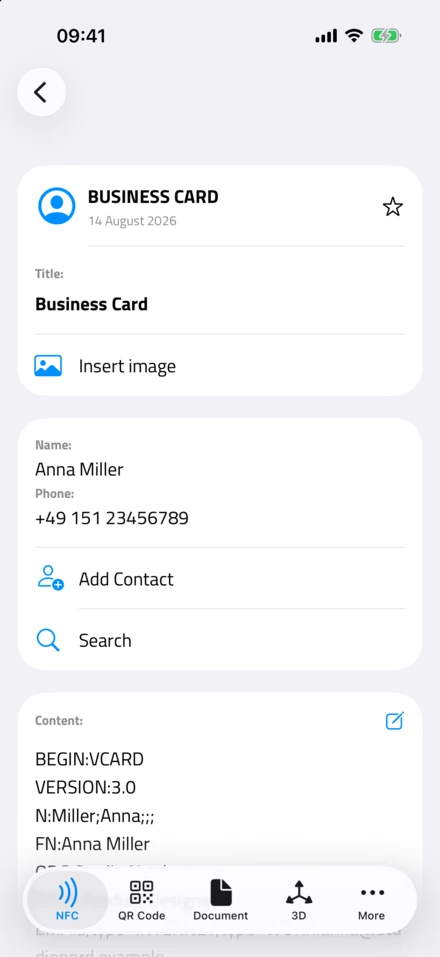
On iPhone
iPhones handle tags automatically. On iPhone XS and later (and the 3rd-gen iPhone SE), NFC reading runs in the background - hold the top of the phone near a tag and it reads instantly, no app needed. Older iPhones (7, 8, X) need you to open an NFC reader app first.
What happens when you scan depends on the data:
URL - a notification appears, tap to open it in Safari
Phone number - an option to call
App Clip - launches an App Clip if one exists
Custom data - opens the associated app
If you just want to see what’s on a tag right now, you can also read NFC tags straight from your browser on Android - no install.
On Android
Most Android phones have had NFC since around 2012. Reading is on by default; you’ll find the toggle under Settings, Connected devices, NFC. Tap a tag and Android hands the data to the most appropriate app - URLs to the browser, contacts to the address book, custom records to their app.
Writing NFC Tags
This is the part I find genuinely fun. Writing to a tag means programming it with whatever data you want.
What You Need
An NFC-enabled phone
An NFC writing app (like NFC.cool Tools - available for iPhone and Android)
A blank or rewritable NFC tag
How to Write a Tag
The process is short:
Open your NFC writing app
Choose what to write (URL, text, Wi-Fi credentials, contact, and so on)
Enter the data
Hold your phone against the tag
Wait for the confirmation, usually about a second
That’s it. The tag now holds your data and works with any NFC phone that reads it. If you want the iPhone-specific walkthrough, I wrote one here: how to write NFC tags on iPhone.
Important: Locking Tags
Once a tag is written, you can optionally lock it. Locking makes it permanently read-only - nobody can overwrite or erase it. There’s no undo.
I treat locking as a deliberate, final step, never something to tap through quickly. Lock a tag when:
It’s publicly accessible (on a poster, product, or business card)
You want to prevent tampering
The data won’t change
Leave it unlocked when:
You might update the data later
You’re still experimenting
It lives in a controlled environment, like your home
16 Practical Ways to Use NFC Tags
I could list a hundred. These are the ones I keep coming back to - the uses I’ve seen actually stick.
Around the Home
1. Wi-Fi guest network sharing Stick a tag near your front door or guest room and program it with your Wi-Fi credentials. Guests tap it and connect instantly, no typing a long password.
2. Smart home scenes Place tags around the house to trigger automations. Tap the one on your nightstand for “goodnight” (lights off, alarm set, Do Not Disturb on). Tap the one by the door for “leaving home” (lights off, thermostat down, vacuum starts).
3. Alarm clock Put a tag in the kitchen or bathroom and build a shortcut that only dismisses your morning alarm when you physically scan it. It works - it forces you out of bed.
4. Appliance manuals Stick a tag on the washing machine or dishwasher and point it at the manual PDF. You’ll never search for a manual again.
5. Medication reminders Place a tag on a pill bottle. Scanning it logs a timestamp to a note or spreadsheet, so you have a record of when you took it.
At Work
6. Digital business cards The most popular NFC use case in business. Instead of paper cards, an NFC business card shares your contact details with one tap. NFC.cool Business Card lets you build a professional digital card and write its URL to any third-party NFC tag - iOS recipients see a native App Clip, Android recipients open a website on the nfc.cool domain, and both can save your contact in one tap.
7. Conference room check-in Put a tag outside meeting rooms. Tapping it launches your calendar or logs attendance - simpler than any booking system.
8. Shared equipment login Attach tags to shared devices or tools. Scanning logs who checked it out and when.
9. Quick link to shared documents Stick a tag on a whiteboard or in a project area, pointing at the shared drive, Notion page, or task board.
On the Go
10. Car Bluetooth and navigation Put a tag on your car mount. Tapping it connects Bluetooth, opens your navigation app, and starts your driving playlist.
11. Luggage identification Drop a locked NFC tag with your contact details inside your luggage. If it’s found, anyone with a phone can identify the owner.
12. Pet ID tag Attach a tag to your pet’s collar with your contact details and their medical info - more durable and data-rich than an engraved tag.
13. Gym and workout launch A tag on your gym bag or locker that opens your workout app with today’s routine loaded.
Creative Uses
14. Restaurant table ordering If you run a restaurant, embed tags in the tables. Customers tap to see the menu, order, or pay. Plenty of places adopted this during COVID and never went back.
15. Interactive art and exhibits Museums and galleries place tags next to pieces so visitors can tap for audio guides, artist notes, or AR experiences.
16. Scavenger hunts and games Hide tags around a location, each revealing a clue or puzzle. Great for team-building, kids’ parties, or escape-room-style games.
NFC Tags and iPhone Shortcuts
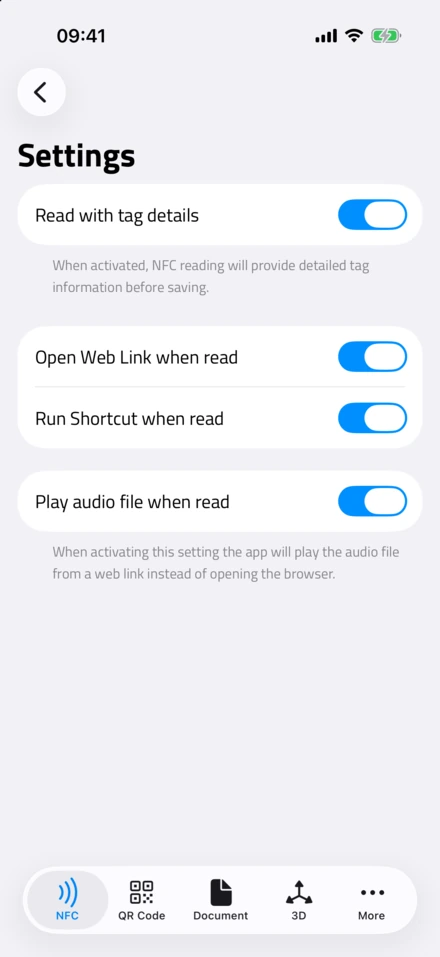
- Run a Shortcut on read. NFC.cool can open a link, run a shortcut or play a sound the moment a tag is read.
This is my favorite thing to show people. Apple’s Shortcuts app (built into iOS) has native NFC trigger support, and it’s where tags go from useful to genuinely powerful on iPhone.
Here’s how to set one up:
Open the Shortcuts app
Go to the Automation tab
Tap New Automation, then NFC
Scan the tag you want to use as a trigger
Build whatever automation you like
The clever part: the tag doesn’t even need data written to it. Shortcuts recognizes the tag by its unique hardware ID, so a completely blank tag can trigger something complex:
Start a focus mode and a timer when you tap the tag on your desk
Log your arrival time to a spreadsheet when you tap the office tag
Text your partner “on my way home” when you tap the car tag
Toggle specific smart home devices
On Android, apps like Tasker and MacroDroid do the same kind of NFC-triggered automation.
Common Questions
Do NFC tags need batteries?
No. NFC tags are completely passive - they draw power from the reading device’s field. They never run out and can last a decade or more.
Can NFC tags be hacked?
Standard tags have no encryption by default, so anyone with an NFC phone can read an unlocked, unprotected tag. For most uses - sharing a URL, triggering a shortcut - I don’t consider that a problem. For sensitive applications, use a tag with cryptographic features (like NTAG424 DNA), or make sure the tag only triggers an action that needs further authentication.
How close do I need to hold my phone?
Within about 1-4 cm. On iPhones the NFC antenna sits at the top of the phone; on most Android phones it’s in the upper-middle of the back. You’ll find the sweet spot within a few taps.
Can I rewrite NFC tags?
Yes, as long as the tag hasn’t been locked. Most tags handle roughly 100,000 write cycles, so you can reprogram them as much as you like. Once locked, a tag is permanently read-only.
How much data can an NFC tag store?
It depends on the chip: NTAG213 holds ~144 bytes, NTAG215 ~504 bytes, NTAG216 ~888 bytes. A typical URL is 30-80 bytes. It isn’t much - tags are best for short data or pointers to online content.
Do NFC tags work through cases?
Yes. NFC works through most phone cases, stickers, and thin materials. Very thick or metallic cases can cut the range. If you’re sticking a tag on metal, use one designed for metal surfaces - it has a ferrite shielding layer.
What’s the difference between NFC tags and NFC cards?
Nothing fundamental. An NFC card is just an NFC tag in a card-shaped body - the chip and antenna are the same technology. Cards usually use NTAG213 or NTAG215 and are popular for business cards, access badges, and loyalty programs.
Getting Started: Your First NFC Project
Want to try it? Here’s a five-minute project I’d start anyone with:
Project: a Wi-Fi sharing tag for your home
Buy tags: grab a pack of NTAG216 stickers (around $10 for 25)
Write your Wi-Fi credentials: open the app, choose Write, then Wi-Fi, enter your network name and password, and hold your phone to the tag
Place the tag: somewhere visible - by the front door, on the fridge, in a guest room
Test it: tap with a different phone and you should get a prompt to join the network
Total cost: about $0.30 and two minutes. Every guest who visits will thank you for it.
Wrapping Up
NFC tags are one of those technologies that sound complex and turn out to be remarkably simple. No batteries, no pairing, no app needed for basic reading. A few cents buys a programmable chip that lasts years and works with billions of phones.
I’ve built my work around these little chips, and I still find new uses for them. Whether you want to automate your morning, share your contact details, or build something playful - a tag is the bridge between tapping a phone and making something happen in the real world.
Ready to start programming NFC tags? Download NFC.cool Tools for iPhone or Android - it’s the easiest way I know to read, write, and manage NFC tags.
Want a digital business card powered by NFC? Take a look at NFC.cool Business Card - share your contact with a single tap. The app UI and App Clip are available in 35 languages.