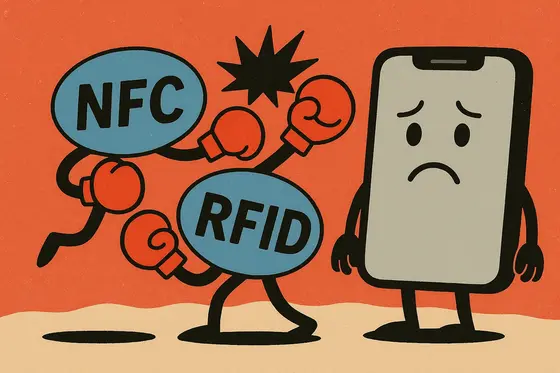
I’ve spent years building NFC.cool, an app for reading and writing NFC tags, and there’s one question that lands in my inbox more than almost any other: “Why won’t my iPhone open my condo door?” Someone confidently taps their phone on the building’s entry reader, expects the magic to happen, and gets the cold, indifferent silence of a locked door instead.
If that’s you, you’re in good company - and no, Siri isn’t holding a grudge. The honest answer is simpler and more technical than most people expect: your condo’s card isn’t playing by your iPhone’s rules. Let me explain why, because once you see the frequency mismatch underneath, the whole thing stops feeling like a glitch.
The tech talk, without the geek-speak
When people ask me this, I always start by separating two terms that get used interchangeably but really shouldn’t be:
RFID (Radio-Frequency Identification) is a broad technology used to wirelessly identify and track objects. I think of RFID like shouting across the street to a friend - typically a one-way exchange where your condo’s RFID card broadcasts a signal and the door listens. RFID comes in different flavours: low-frequency (LF), high-frequency (HF), and ultra-high-frequency (UHF). It powers access cards, pet microchips, inventory tracking, and yes, those condo cards.
NFC (Near-Field Communication) is essentially a specialised subset of RFID operating at high frequency (13.56 MHz). It’s a cosy chat between two friends standing very close to each other. NFC enables two-way communication, secure data exchange, and rich interaction - which is exactly why your iPhone uses NFC for features like Apple Pay, AirTags, and digital business cards.
So all NFC is RFID, but not all RFID is NFC. That single sentence is the root of almost every “why won’t it work” email I get. If you want the fuller breakdown of how NFC fits inside RFID, I covered it in my beginner’s guide to NFC tags.
Why your iPhone says “no” to your condo card
- Nothing to read. Low-frequency or proprietary RFID is outside what the iPhone's NFC radio can hear.
Here’s the part I’ve had to explain hundreds of times. Your condo access card most likely uses a form of RFID that sits outside the NFC standard your iPhone recognises - often low-frequency RFID, or a proprietary high-frequency scheme encrypted in ways iPhones can’t interpret. Apple deliberately built the iPhone to work exclusively with NFC at 13.56 MHz for security, battery efficiency, and a consistent user experience.
Put plainly: your iPhone doesn’t speak your condo’s RFID dialect. It’s like expecting your Netflix subscription to get you into a cinema. Same general idea, completely different worlds. And this isn’t a bug I could patch around in my own app either - the radio on the inside of the phone simply can’t tune to the frequency that card is talking on. If you’re curious about exactly what Apple did and didn’t open up in the NFC stack, I wrote about it in an insider’s look at NFC on iPhones.
Can you clone or copy the condo card to your iPhone?
In short: no, and I’ve stopped being shy about saying so. Apple’s Wallet and NFC stack are deliberately locked down to avoid the obvious security nightmares - someone casually copying your credit card or your building key onto a phone. Picture a world where anyone could clone access cards onto an iPhone: your lobby turns into a revolving door. Apple’s limitation here exists to keep your digital life safe, and as someone who works with this stack every day, I’d make the same call.
It’s also worth knowing that the cards which can hold secrets - the ones with real cryptographic protection - aren’t trivial to copy by design. I dug into that side of things in keeping secrets safe on encrypted NFC tags.
What you can do instead
Apple isn’t budging on this anytime soon, so here’s how I’d suggest making peace with the RFID reality:
Smartphone-compatible systems. Ask your condo administration about upgrading to modern access systems that integrate with digital wallets. This is the real fix, and it’s becoming more common every year.
NFC stickers or tags. Programmable NFC tags are genuinely useful at home and in controlled scenarios - I use them constantly - but they only help here if your condo’s reader actually speaks NFC. If you want to try, writing your own NFC tags on iPhone is the place to start.
Dedicated RFID cards or fobs. For now, keep that condo card on your keyring. It’s still the right tool for that particular lock.
Bottom line
It’s not your iPhone being stubborn - it’s Apple prioritising security and consistency, and a frequency gap that no software update can close. Until buildings broadly adopt NFC-compatible access systems, that piece of plastic stays your key to the lobby. Your iPhone is brilliant for payments, digital business cards, and impressing your friends - but condo doors are, for now, still stuck in the past.
At least the next time you’re stuck in an awkward elevator ride, you’ve got a good story about why.