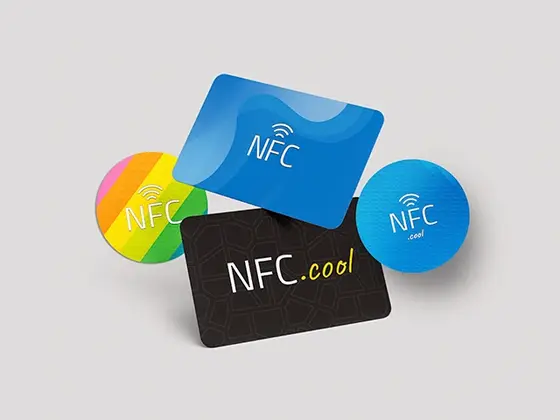
NFC tags are small integrated circuits that store information any NFC-enabled device, like your phone, can read. But here’s the thing I wish someone had told me earlier: not all NFC tags are created equal. There’s a whole zoo of types from different manufacturers, each with its own quirks, and that makes picking the right one for your iPhone surprisingly fiddly.
I’ve spent years building NFC.cool, an app for reading and writing NFC tags, and “which tag should I buy for my iPhone?” is easily one of the questions I field most. So this is the answer I give. I’ll walk through the five NFC tag types, who actually makes them, and why one of them is the safe bet for almost any iPhone project. If you’re brand new to all of this, you might want to start with my complete beginner’s guide to NFC tags first - this post goes a layer deeper.
Understanding NFC tag types
NFC tags fall into five types: Type 1, Type 2, Type 3, Type 4, and Type 5. That classification isn’t something manufacturers made up - it comes from the NFC Forum, the industry consortium that sets the standards. Each type has its own memory capacity and speed, and can be either read-write or read-only.
That’s the lens I use whenever I look at a tag’s spec sheet, so let me go through them one by one.
Type 1 & 2 - Topaz and MIFARE Ultralight®
Type 1 (Topaz, by Broadcom) and Type 2 (MIFARE Ultralight®, by NXP Semiconductors) are the cheap, cheerful end of the spectrum. They’re well suited to simple applications like posters and business cards. Their memory capacity is small (48 bytes to about 2 KB), but in my experience that’s plenty for a URL or a short text payload, which is what most people actually want.
Type 3 - FeliCa™
Type 3 tags, also known as FeliCa™, were developed by Sony. You’ll mostly see them in Asia, powering public transport tickets and e-money. They offer higher speed and memory (up to 1 MB), but their use is fairly limited because they cost more and are tied to region-specific applications. I rarely reach for them outside that context.
Type 4 - MIFARE DESFire®
MIFARE DESFire® tags, also from NXP Semiconductors, are Type 4. These are the high-security, high-capacity option, built for complex jobs like secure access control and public transport systems. They can store up to 8 KB. When a project genuinely needs cryptographic protection, this is the family I look at - I went into the security side in more detail in my post on keeping secrets safe on encrypted NFC tags.
Type 5 - ISO 15693
Type 5 tags conform to the ISO 15693 standard and are relatively new to the NFC ecosystem. They’re mostly an industrial story, and their headline feature is an extended read range compared to the other types. Useful if you’re tracking inventory across a warehouse, less so for the tag stuck to your fridge.
Which NFC tags should you choose for your iPhone?
Here’s the part that matters most. iPhones from iPhone 7 onward are compatible with NFC Type 1, 2, and 5, but they offer the best support for Type 2. Type 2 NFC tags are the NTAG series from NXP Semiconductors.
The NTAG213, NTAG215, and NTAG216 models are the most popular in that series, and they work brilliantly with iPhones - it’s what I test against day in, day out. They give you enough memory (144 to 888 bytes) for most practical projects, they’re fully writable and readable by any NFC-enabled iPhone, and they’re rewritable, so you can change their contents as often as you like.
One practical note that has saved me a lot of frustration: the larger the tag and its antenna, the more reliably an NFC reader picks it up. I’d avoid the extremely cheap, flimsy stickers if reliability matters for your project - the few cents you save aren’t worth a tag that only reads on the third tap.
The main thing iPhones do with NFC is read NFC Data Exchange Format (NDEF) messages - URLs, plain text, or vCards (digital business cards). Any tag that supports NDEF, and most NTAG-series tags do, is a solid choice for iPhone users. When you’re ready to actually put data on one, I wrote a step-by-step walkthrough on how to write NFC tags on iPhone.
Summary
If you’re shopping for NFC tags to use with your iPhone, my honest recommendation is simple: Type 2 tags from the NTAG series by NXP Semiconductors. They’re cost-effective and they give you the best compatibility and functionality for what most people actually want to do with NFC on iPhones. Buy a pack of NTAG215 stickers and you’ll be set for almost anything.
NFC keeps evolving, so it’s worth keeping half an eye on new developments and tag specifications. For more, see my earlier post on tapping into the magic of NFC on iPhones, and if you just want to see what’s already on a tag, you can read NFC tags right from your browser.
Happy tagging!