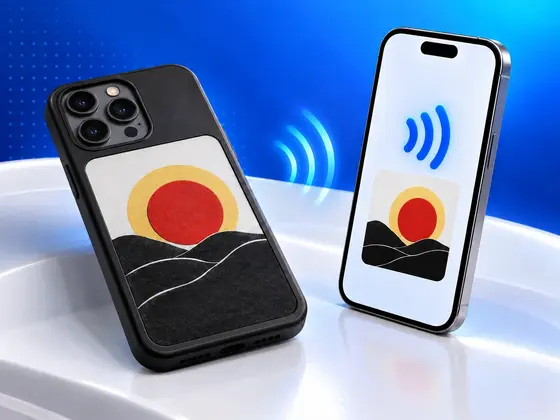
Update, October 2026: NFC.cool Tools 7.3.0 also draws on the bigger cases that use the AI Cast Assistant app, and adds two new designs, Editor and AI Playground. How we got that second case working is further down.
The screen flickered.
It’s a tiny thing. E-ink panels do it every time they redraw: a quick flash through the colours before the new picture settles. But this flash came from code I had written, sent from my iPhone into the back of a phone case that has no battery. A few seconds later the whole panel was a solid, slightly papery red. Nothing else. Just red.
I have built a lot of NFC features over the years, and that plain red rectangle is one of my favourite moments of all of them.
A screen with no battery



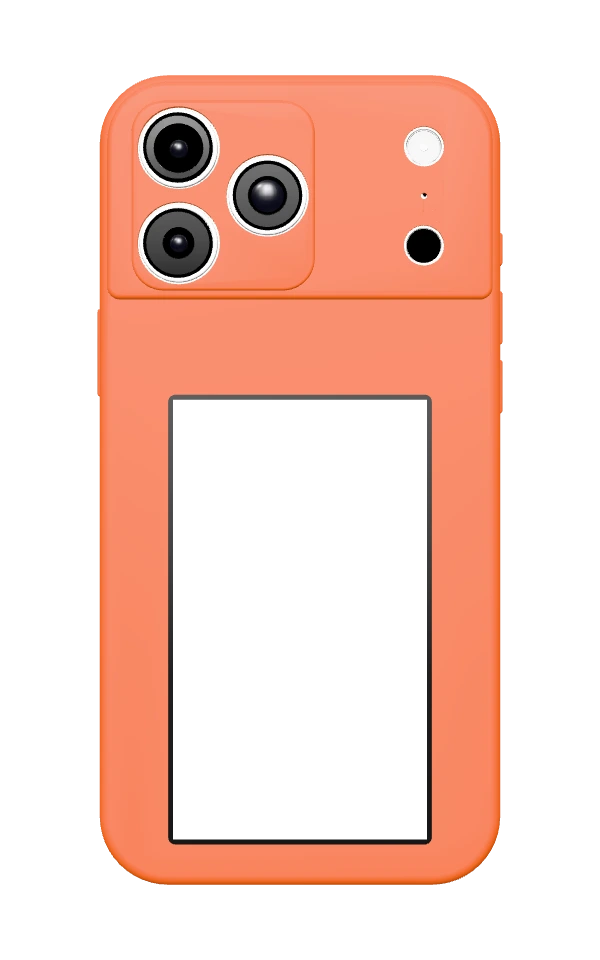
If you haven’t seen one of these cases: it looks like an ordinary phone case, except a big part of the back is an e-ink screen, the same kind of display an e-reader uses. Mine draws in four inks: black, white, red and yellow.
There’s no battery inside and no charging port. The case gets its power from your phone’s NFC field, the same field that wakes up an NFC sticker when you scan it. Because your phone sits right inside it, the case is always in reach of that field. When an app asks it to, the field powers a small chip and a microcontroller, which redraw the screen. Once the picture is on, e-ink needs no power at all to keep it there. It just stays, on a dead phone, in a drawer, wherever.
I think of it like an Etch A Sketch that only your phone can shake. Nothing changes until your phone tells it to.
These cases are sold under a lot of names, and almost every brand has its own app. Mine came with one called DeerPhoneCase. I’ll get to the others further down.
Why I didn’t just use the official app
I tried a whole bunch of the manufacturer apps with my case, and a lot of them work. But they all feel really bad to use. They aren’t native iPhone apps, you have to log in before you can do most things, and in the end a picture is all they really want to do.
When I looked at that screen on the back of my phone, I didn’t see a photo frame. I saw a little display that’s always on and costs no battery. That’s the perfect place for my next meeting, today’s agenda, or a QR code someone can scan off the back of my phone. The official app couldn’t do any of that, and I make an app that’s all about NFC. So I decided to teach NFC.cool to talk to the case myself.
Cracking it open
I did this together with Claude, the AI model from Anthropic, which turned out to be a very patient partner for reading through decompiled code.
The first idea was the obvious one: look at how the official iPhone app talks to the case. That went nowhere. Apps from the App Store are encrypted, and there was nothing useful to read.
The Android version was a different story. The case is a white-label product, so the same vendor’s app exists on Google Play under its own name, and Android apps can be decompiled. We pulled it apart, and between that code and what we could find online about the chip inside (a Fudan NFC chip with a microcontroller behind it), the whole conversation between phone and case came out:
The phone and the case do a short login handshake, so the case knows a real app is talking to it.
After that, every command is encrypted.
The picture travels as 139 packets of raw pixels. Each pixel takes two bits, which is exactly enough for four inks.
The phone tells the case to redraw, and then asks every second whether it’s done.
My first test wrote nothing clever, just one colour across the whole screen. That was the red rectangle.
The 20-second wall
Then I tried real pictures, and they came out broken. Lines across the screen, colours that were off, half a photo.
The redraw takes about 18 seconds, and the connection kept dying right around the 20-second mark. Claude was convinced iOS simply ends every NFC session after 20 seconds and there was nothing we could do about it. I didn’t buy that, because the official app managed it on the very same iPhone.
So I connected my iPhone to my Mac and recorded the system log while the official app drew a picture. It showed the trick: iOS limits each connection to a tag to roughly 20 seconds, not the whole session. Right after sending the picture, the official app drops the connection and reconnects about a tenth of a second later, then lets the case redraw on that fresh connection, with a full 20 seconds to spare.
Once NFC.cool did the same, the pictures came out clean. I’ll admit I enjoyed being right about that one.
A bigger case, and starting over
My friend Alex has a different one of these cases. It’s made for the iPhone 17 Pro Max, it comes with an app called AI Cast Assistant, and its screen has more than four times as many pixels as mine.
When he tried NFC.cool on it, the app showed an error. It didn’t even try to draw.
I couldn’t just borrow the case and work on it at home either. With my 15 Pro Max inside a case made for the 17 Pro Max, things got weird. The case’s antenna seems to be tuned to the phone it’s built for. So everything from here on happened with Alex’s case on Alex’s phone.
This time the Android app wasn’t much help. The code we pulled out of it talked to this case in a way an iPhone isn’t allowed to use, so copying it got us nowhere.
So we built a sniffer: a small Android app that pretends to be the case. You hold the iPhone to the Android phone, open AI Cast Assistant, and the iPhone happily sends its picture to what it thinks is a phone case, while the Android app writes down every byte.
That log held two surprises:
The official app compresses the picture before it sends it. We had tried it uncompressed, and the case said OK to every single packet and then drew nothing.
When the phone asks the case whether it’s done, the case simply doesn’t answer until the redraw is over, about 21 seconds later. Holding back that answer keeps the connection alive, so this case never runs into the 20-second wall at all.
Once NFC.cool did both, the first picture we sent was a photo of Alex’s dog.
What NFC.cool puts on your case
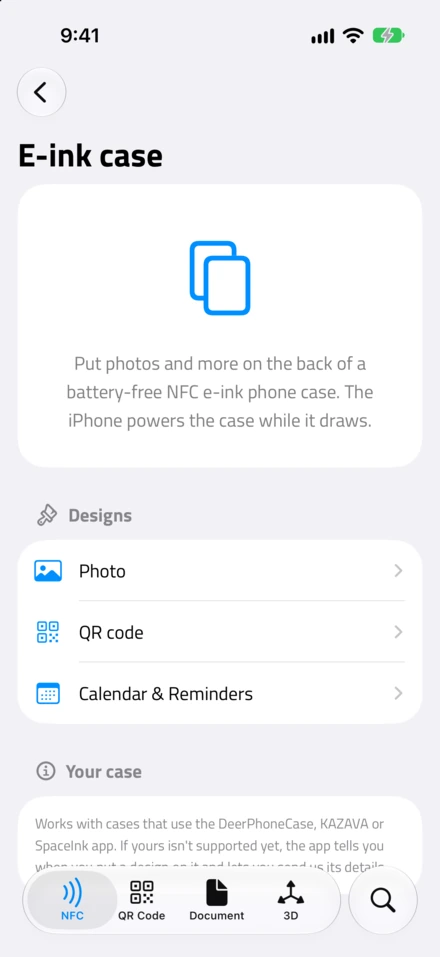
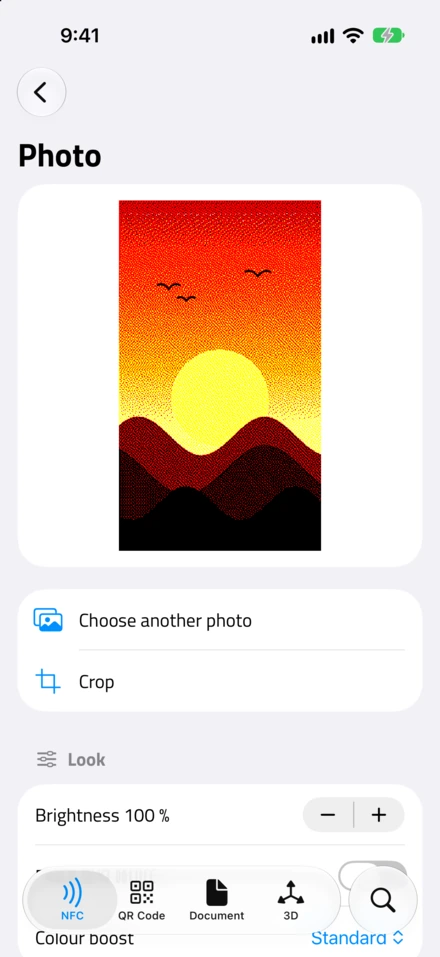
The feature lives in NFC.cool Tools under NFC Apps, as E-ink case. You pick a design, see a preview of exactly how the case will show it, and tap Put on case. Your iPhone is already sitting in the case, so there’s nothing to line up: the NFC sheet opens, the case redraws, and the sheet closes when it’s done.
Photo: any picture from your library, cropped to the screen. This one is free. It turns your photo into the four inks, with a colour boost (Standard, Vivid or Max) and a black-and-white option.
Cut-out: picks the person, pet or object out of a photo and puts it on a background in one of the four inks.
Editor: start from a blank canvas or a photo, then add text, emoji and more photos, or draw with a pen, a marker and a fill bucket. Your draft stays, so you can come back and change it later.
AI Playground: pick a photo and let Apple Intelligence restyle it, then put the result on the case. This one only shows up on iPhones with Apple Intelligence.
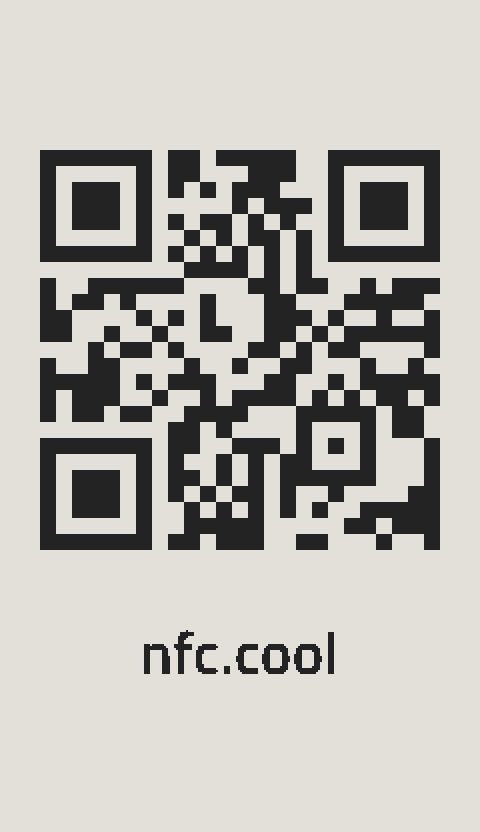
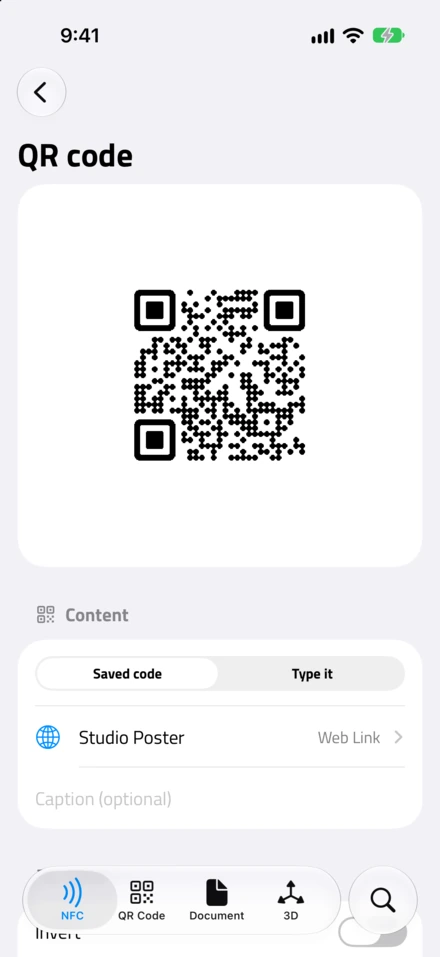
QR code: any QR code you saved in NFC.cool, in its own design, or one you type in. You can invert it, and the app warns you when the text is too long for the code to stay readable on the small screen.
Next event or a picked event from your calendar.
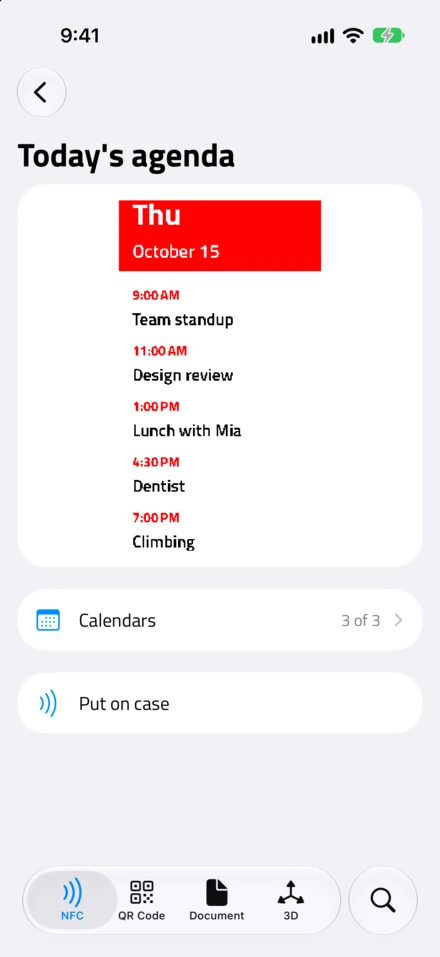
Today’s agenda: everything on your calendar today.
Reminders: the open reminders from one of your lists, in three text sizes.
The calendar and reminder designs are snapshots. The case shows what was true when you put it on, until you put on the next one. It can’t update itself without your phone, and that’s the price of never needing a charger.
A cool hack, with one catch
Here’s something worth knowing before you get one. To your iPhone, the case doesn’t just look like a screen. It also looks like an NFC tag, and you can write to it like one.
That sounds handy until you try it. Say you write a link onto the case. The case sits right on top of your phone’s NFC antenna, so your iPhone’s background tag reading finds that link again and again, and keeps showing you the notification for it. It’s like a sticky note on your forehead that your phone keeps reading out loud.
It works the other way round too. The case’s chip sits on the phone’s NFC antenna, so when you hold another tag to the back of your phone, your iPhone doesn’t recognise it. It only sees the case.
I’ve written something to my own case by accident more often than I’d like to admit. Luckily the fix is easy: NFC.cool can format the case again, and then it stays quiet.
None of this is a reason to skip these cases. They’re a bit of a hack, but a cool one. Just know that an NFC screen on the back of your phone and everything else you do with NFC get in each other’s way a little.
Good to know
iPhone only, for now. This is in the iPhone app. The Android app doesn’t have it yet.
Which cases work. Most of these cases come from one developer that publishes a separate app for almost every brand. I tried every one of those apps I could find with my case:
DeerPhoneCase, KAZAVA, Novixand and TYOHINN work with my case, and NFC.cool works with it too. If your case came with one of these apps, NFC.cool should work with it.
Bestie e-INK and KINGZER don’t work with mine. The picture goes over NFC just fine, but when the case should redraw, nothing happens.
SpaceInk+, from a different developer, doesn’t work with my case at all. Its app only says “device channel information mismatch”.
AI Cast Assistant comes with a different, bigger case, and NFC.cool works with it since 7.3.0. I’ve only been able to try Alex’s, the one for the iPhone 17 Pro Max.
That doesn’t mean NFC.cool can’t drive cases sold for Bestie e-INK, KINGZER or SpaceInk+. They may just be slightly different cases than mine, and I can’t test them. If you have one, please tell me whether NFC.cool works with it or not. If yours uses something else, the app tells you it isn’t supported yet and offers a Send case details button. That sends the chip’s technical details, nothing that identifies you or your case, so I can see which cases people actually own and add them.
Where to get one. On Amazon these cases are sold under a lot of brand names, some of them pretty cryptic, but they lead to the same cases. Here’s a search for them on Amazon (affiliate link). Mine has DIY printed on the inside, and some listings put DIY in the title, so that’s a good word to look for. If a listing names the app the case uses, look for DeerPhoneCase, KAZAVA, Novixand, TYOHINN or AI Cast Assistant. And get the case made for your exact iPhone: its antenna is tuned to that phone, and my 15 Pro Max didn’t get along with Alex’s 17 Pro Max case at all.
Bottom line
If you have one of these cases lying around with the same picture it had on day one, give it something more useful to show. NFC.cool Tools is on the App Store.
And if you’ve never seen e-ink flicker into a picture you sent it yourself, I can recommend it. It’s a very satisfying few seconds. Everyone I’ve shown the case to so far has been pleasantly surprised by it.