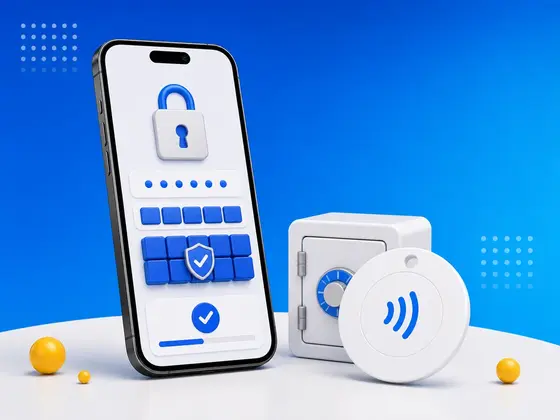
Your seed phrase is probably on a piece of paper. Maybe it’s in a safe. Maybe under a floorboard. Maybe split across three locations because someone on Reddit said that’s what “serious” crypto people do. But it’s still paper. Paper burns. Paper floods. Paper gets lost.
I’ve spent years building NFC.cool, an app for reading and writing NFC tags, and at some point I started asking myself a question that has nothing to do with payments or keycards: what if your backup couldn’t rot, couldn’t degrade, and looked like nothing to anyone who found it?
That question is why I built NFC Safe. It encrypts any text - seed phrases, passwords, recovery codes, whatever you need to keep secret - onto an NFC tag with 256-bit AES encryption. The tag is self-contained. No cloud. No server. No account. To read the secret, you need the physical tag and the passphrase. Without both, the tag is just a tiny piece of plastic with some gibberish on it.
One thing I felt strongly about while designing this: I didn’t want your secrets to depend on my app existing. So the encryption format is fully documented and open, including a reference Python decoder. If NFC.cool ever disappears, you can still recover your data with a standard NFC reader and the spec. That’s a promise I can keep because I wrote the spec to outlive the software.
The problem with storing secrets
If you asked me to name the weak point in every secret-storage method I’ve seen, I could do it without thinking: paper burns, USB connectors corrode, cloud services get breached, hardware wallets only handle crypto seed phrases, and your brain forgets. Every option fails in its own way.
So I worked backwards. The ideal backup would be physically durable, encrypted, self-contained, redundant, and long-lasting. NFC tags hit all five, and that surprised me at first too. They have no battery, no moving parts, and the NTAG216 chip is rated for 10+ years of data retention. Epoxy-coated variants survive water, impact, and decades of neglect. If you’re new to how these chips differ, I broke down the trade-offs in NFC tag types for iPhone.
How to use NFC Safe
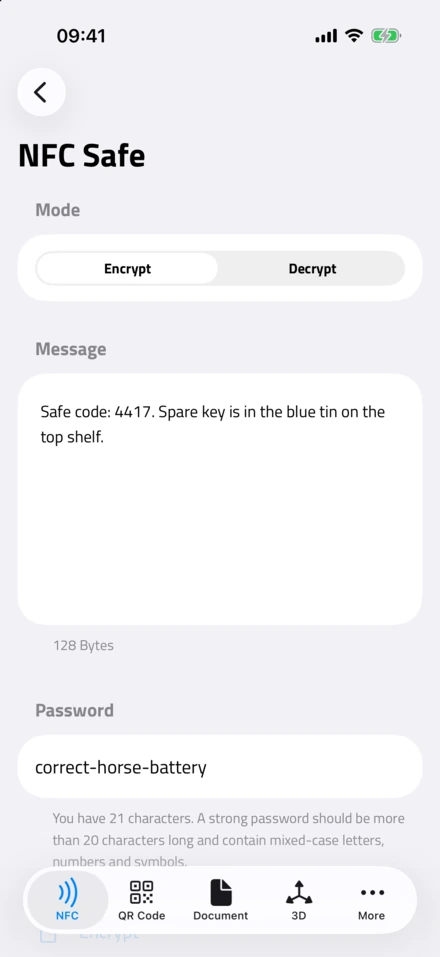
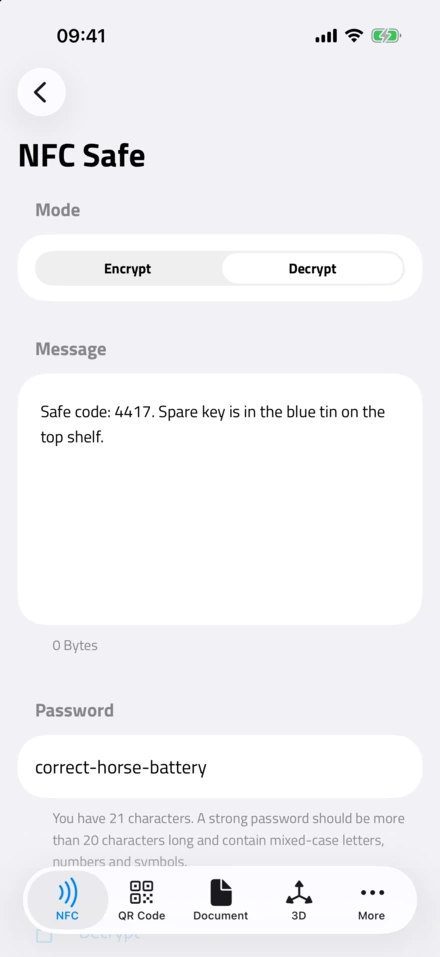
NFC Safe lives inside NFC.cool Tools under NFC Apps. I kept the whole thing down to one screen with a segmented control at the top - Encrypt or Decrypt. If you’ve ever written a tag before, none of this will feel unfamiliar.
To encrypt:
Open Tools → NFC Apps → NFC Safe
Select Encrypt
Type or paste your secret
Set a strong passphrase
Tap Encrypt; hold an NFC tag to your phone
To decrypt:
Same screen, switch to Decrypt
Enter your passphrase
Tap a previously-encrypted tag - your secret appears
Under the hood, here’s what I’m actually doing: AES-256-GCM with PBKDF2 (HMAC-SHA-256, 100,000 iterations, 16-byte random salt). The result is stored on the tag as a custom NDEF record (urn:nfc:ext:crypto). If you want to verify any of that yourself rather than take my word for it, the full format spec is on GitHub. If you’re curious what a normal, unencrypted tag write looks like first, I walk through that in how to write NFC tags on iPhone.
The redundancy strategy
Here’s how I’d actually use this myself. An NTAG216 tag costs about as much as a coffee, so there’s no reason to make just one. Buy a handful, encrypt the same secret to each, and distribute them: desk drawer, office, a family member’s house, a safety deposit box, somewhere only you’d think to look. Each tag on its own is meaningless without the passphrase. That’s the part I like most about the design - it’s two-factor by nature: a physical tag plus a passphrase, held in two separate places, with no extra setup from you.
Why NFC instead of USB or SD card
People ask me why I didn’t just point everyone at a USB stick or an SD card. The honest answer is that I’ve watched too many of those fail in boring, preventable ways. NFC sidesteps all of them:
No connector - nothing to corrode or bend
No battery - passive, powered by the reader
No filesystem - nothing to corrupt
No driver - every smartphone reads NFC natively
Small and cheap - coin-sized, under a dollar in quantity
Durable - epoxy variants handle water, impact, UV
The one real limit is capacity: roughly 500-700 bytes after encryption overhead. That’s not much, but it’s plenty for what this is actually for - a 24-word seed phrase, a master password, or a set of recovery codes.
Security notes
I’d rather be upfront about the sharp edges than have you discover them later:
Your passphrase is everything. 256-bit AES is unbreakable. A weak passphrase isn’t. Use a randomly-generated 20+ character string and don’t compromise here.
NFC range is short (~4 cm). Nobody scans from across the room - that tiny range is a feature, not a bug.
No remote wipe. Lost tag? Destroy it physically. Scissors work, and so does the fact that the data is useless without the passphrase anyway.
No passphrase recovery. Forget it and the data is gone. I made that decision deliberately - a recovery path is also an attack path. Write the passphrase down somewhere separate from the tags.
The bigger picture
Working on NFC every day, I’ve watched these tags quietly become the storage medium for things that matter. The EU Digital Product Passport lists NFC among its approved data carriers, right next to QR codes. Philips puts them in toothbrush heads. Hotels use them for room keys. Cheap, durable, and universally readable by the device already in your pocket - that combination is rare, and it’s exactly why I keep finding new uses for them. If you want the broader view, I covered the basics in NFC tags explained: a complete beginner’s guide.
NFC Safe is my attempt to take that durability and add the one thing it was missing - encryption. A backup that outlasts paper, can’t be read by anyone who finds it, and costs less than a cup of coffee. That’s the kind of thing I wanted for myself, so I built it.
Available now on NFC.cool Tools for iPhone and Android.